Creating a website for free: what you get and what you give up
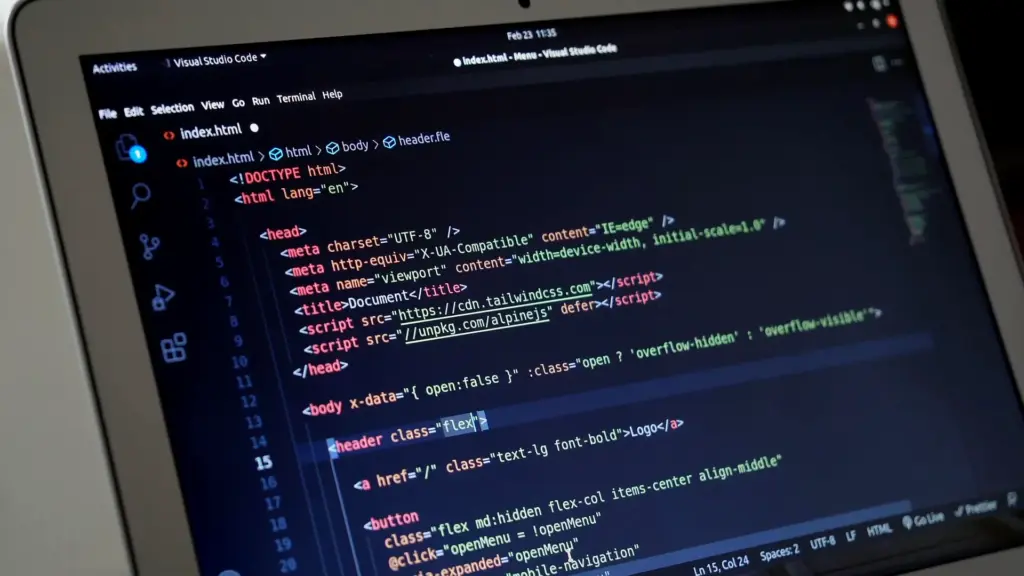
You can create a website for free with website builders such as Wix and WordPress.com. You get ready-made templates, hosting and an address on the platform’s domain, for example name.wordpress.com. You give up your own domain and control over the branding or ads your visitors see. Free plans usually do not let you sell online. For a test or a personal page that is enough. For a business that wants customers from Google, a free site only works as a stopgap.
Plenty of people start here. According to Google Keyword Planner (November 2026), «δημιουργία ιστοσελίδας δωρεάν» (create a website for free) gets an average of 90 searches a month in Greece, «δωρεάν ιστοσελίδα» (free website) 110 and «wix» 9,900. For «δημιουργία ιστοσελίδας δωρεάν» advertisers pay €4.75 per click on average. Someone is paying to bring you to “free”, because they expect you to pay later.
Where to build a free website
The well-known platforms have a free plan that works as a taster for the paid ones. The table shows what they say about their own free plans.
| Criterion | Wix (free plan) | WordPress.com (free plan) |
|---|---|---|
| Address | siteprefix.wixsite.com/siteaddress | yoursite.wordpress.com |
| Branding and ads | Wix branding and sometimes ads | WordPress.com ads shown to visitors |
| Your own domain | Requires a paid plan | Not included |
| Space | 500 MB storage, 1 GB bandwidth | 1 GB storage |
| Plugins | Not mentioned | Plugin installation not included |
| Selling and payments | Not supported | WooCommerce only on paid plans |
Sources: the article “Is Wix free?” on the Wix blog and the WordPress.com pricing page, as of November 2026. Terms change often, so check them before you start.
There are other options too. Google Sites builds simple pages with a Google account. For the search «δημιουργία ιστοσελίδας» (website creation), Webnode held second place on Google on 16/11/2026, with the title «Δημιουργήστε δωρεάν ιστοσελίδες» (create free websites).
What you get with a free website
- Zero start-up cost. You test an idea without commitment.
- Ready-made templates. You pick a design and change the text and photos.
- Hosting without technical skills. The company looks after the platform and the server.
- Speed. A simple page with contact details goes up in an afternoon.
For many people that is enough to get started. The question is what you pay in other ways.
What you give up with a free website
Your own domain
Your web address is one of the first things a customer sees on Google and on your business card. «name.wixsite.com» looks like a trial. «name.gr» looks like a business. With your own domain you also get email such as [email protected]. We explain how to choose and register a domain in our domain name guide.
Space on the screen
On free plans the platform keeps some space for itself. On Wix, visitors see Wix branding and sometimes ads. On WordPress.com they see WordPress.com ads. You do not decide what they show.
Ownership and the option to leave
This is where the biggest cost hides. Wix states in its help center that a Wix site must run on Wix’s servers, so it cannot move to another host. If you want to leave later, the site has to be rebuilt from scratch. You can, however, connect a domain bought elsewhere to Wix on a paid plan.
WordPress.com runs WordPress, the same open-source software you can install on your own hosting. We explain the difference between the two platforms in detail in Wix or WordPress.
Control over SEO
A free site can appear on Google, mostly when someone searches for your name. On commercial searches you compete with sites that have their own domain and full technical control. On the WordPress.com free plan, for example, you cannot install plugins, which rules out an SEO plugin.
There is also a cost that shows up later. The links you earn point to the platform’s address. Before you move, ask whether the platform allows a 301 redirect from the old address to the new one. Without it, your rankings and links stay behind.
Sales
The Wix free plan has no ecommerce features and no way to take payments. On WordPress.com, WooCommerce is available only on paid plans. If you plan to sell, the free plan just shows you how the platform works. For what a proper shop costs, see how much an eshop costs.
What “free” costs in practice
A free plan is the first step on a ladder. As soon as you need your own domain, an ad-free site or online sales, you move to a paid plan. That subscription is paid every month or year for as long as the site exists, and the site depends on the platform.
Your time counts too. An owner who builds the site alone spends evenings on text, photos and settings. If those hours are worth more in your business, free turns out expensive. If you have the time and the interest, it is a good way to learn what you want from a website.
When a free website is enough
- You want to test an idea before investing.
- You need a personal portfolio or CV.
- You are building a page for an event with an end date.
- You are a club or group with no budget and nothing to sell.
In these cases free does the job. Just know from the start where it stops.
When it is worth investing in a professional website
Once the site has to bring in customers, things that free plans do not offer start to matter. You need your own domain, GA4 measurement, fast loading and pages written for what your customers search. If you run Google Ads, Google also rates the landing page experience.
| Option | Cost | Domain | Who builds it | Best for |
|---|---|---|---|---|
| Free builder | Zero | The platform’s | You | A test, a personal page |
| Paid builder plan | Monthly or yearly subscription | Your own | You | A small business with a few pages |
| WordPress on your own hosting | Domain, hosting, possible licences | Your own | You or a developer | Anyone who wants full control |
| Professional build | One-off build plus yearly costs | Your own | Agency or freelancer | A business that wants customers from Google |
To get a sense of the market: for the search «δημιουργία ιστοσελίδας», titles on Google’s first page advertise packages “from €250”, “from €300” and “from €400” (checked 16/11/2026). These are entry prices for basic sites. What drives the cost up and what you pay every year is explained in how much a website costs.
If you start free, do this from day one
- Register the domain in your business’s name, even if you do not connect it straight away.
- Keep your text and photos in your own files, outside the platform.
- Set up a free Google Business Profile. For a local business it is often the first thing a customer sees on Google.
- Write your pages around the phrases your customers search, so they can move as they are to your next site.
- Decide in advance when you will move to a professional solution. For example, when you want to sell online or run ads.
Frequently asked questions
Is there a completely free website?
Yes, on website builders’ free plans. You pay in other ways: the platform’s address, its branding or ads, and limited features.
Can I use my own domain on a free website?
On Wix you need a paid plan. On WordPress.com the free plan does not include a custom domain.
Will a free website show up on Google?
It can, mostly for your name. For competitive commercial searches you need your own domain, technical control and content written for SEO.
Do I need hosting if I build on a website builder?
No, the platform provides hosting. If you build on WordPress with your own hosting, see what to look for in our guide to web hosting for businesses.
How much does a professional website cost?
Google’s result titles show basic packages from €250. On top of that come yearly costs for the domain, hosting and maintenance. The price rises with custom design, languages and integrations.
If your free site has reached its limits, see website development at MINOANDESIGN or write to us at [email protected]. Our average delivery time for a website is 35 days.